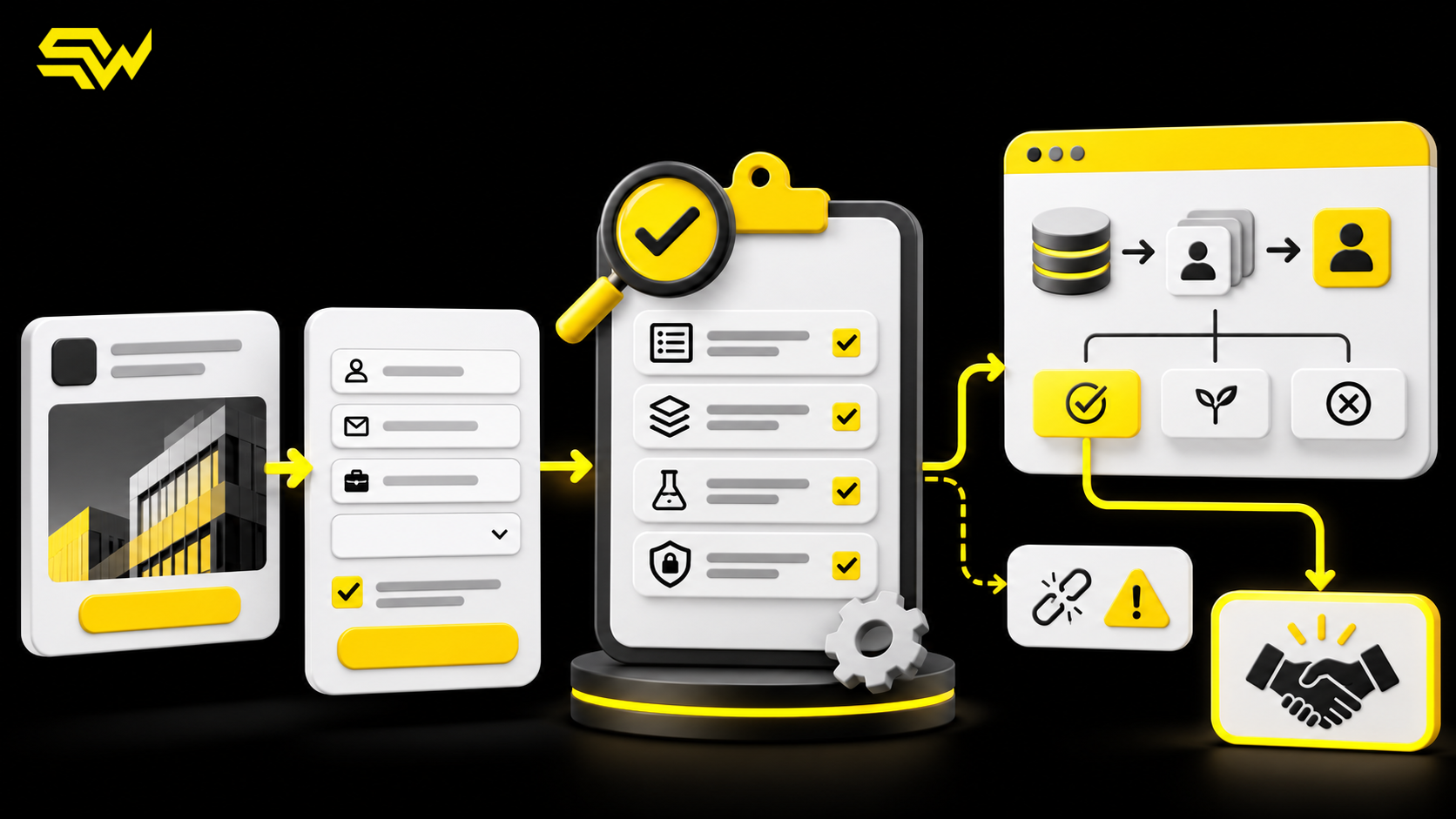
LinkedIn Lead Gen Forms can remove a major conversion barrier: people submit information without leaving the platform or typing every detail into a landing page. That convenience can increase lead volume, but it does not automatically create sales-ready opportunities. If the form asks the wrong questions, the CRM loses campaign context or the lead waits hours for a response, a low cost per lead can hide a weak pipeline.
A LinkedIn Lead Gen Forms audit should examine the complete path from ad promise to form, consent, CRM record, owner assignment and qualified outcome. The practical takeaway is to keep the member experience concise while making every collected field useful to sales, attribution or required consent.
Define “qualified” before choosing form fields
Start with the decision the sales team must make after submission. For a B2B service, that may be whether the company fits a target size, operates in a supported market and has a relevant need. For a software demo, the decision may depend on role, use case and implementation timing.
Write a simple qualification rule before editing the form. For example:
- fit: target industry, company size or geography;
- authority: role or influence in the buying process;
- need: the problem the prospect wants to solve; and
- next action: sales call, nurture sequence or respectful disqualification.
This framework is a recommendation, not a LinkedIn requirement. Its purpose is to prevent teams from collecting data that nobody uses—or omitting the one answer that would change the follow-up path.
The keyword priorities here are qualitative because no verified search-volume data is being claimed. “LinkedIn Lead Gen Forms audit” and “LinkedIn lead generation agency” indicate commercial intent, while “LinkedIn form CRM integration,” “improve LinkedIn lead quality” and “LinkedIn hidden fields” reflect narrower implementation questions.
Keep the visible form short, but purposeful
LinkedIn’s current Lead Gen Forms documentation allows up to 12 profile or custom fields and up to three custom questions. Its best-practice guidance recommends using three to four fields because fewer fields will likely improve conversion rates. Review LinkedIn’s Lead Gen Forms overview and form specifications.
Treat three to four fields as a starting point, not a universal rule. A high-value consultation may justify one qualifying question that prevents poor-fit calls. A downloadable checklist usually needs less information. Every extra question should pass this test: will the answer change routing, messaging or prioritization?
Prefer multiple choice when the sales process relies on consistent categories. Free-text questions can reveal nuance, but they are harder to normalize in a CRM. Avoid asking for information the LinkedIn profile already provides unless the field is essential and the prefilled value needs confirmation.
Prefill also has a limitation: profile information may be incomplete or out of date. A submitted job title, company or email address should be treated as a lead-provided signal, not independently verified business data.
Align the ad, form and confirmation step
The ad promise should match the form headline, details and next step. If the ad offers a benchmark report, the form should not suddenly ask the member to book a sales call. If the offer is a consultation, the confirmation should explain what happens next and how quickly the team will respond.
LinkedIn’s specifications currently allow a 60-character form headline, 160-character details section and 300-character confirmation message. A landing-page or appointment-booking link can be included after submission. LinkedIn also notes that it does not automatically email a gated asset, so the confirmation or follow-up workflow must deliver it.
Our recommendation is to test the full mobile experience with the exact ad creative, not only preview the form template. Check that the value proposition, form questions, privacy language and confirmation CTA tell one consistent story.
Use hidden fields to preserve campaign context
Visible questions are for the prospect. Hidden fields are for operations and measurement. LinkedIn permits up to 20 hidden fields and supports dynamic parameters for account, campaign, ad set and ad identifiers or names. These values can help the CRM retain source, campaign, creative, region or sales-owner context without adding form friction. See LinkedIn’s current hidden-field documentation.
A practical hidden-field set might include:
- source and medium;
- campaign, ad set and ad IDs;
- offer or asset name;
- target segment;
- routing region; and
- intended CRM campaign or owner queue.
Do not assume that creating a hidden field completes attribution. Map it to a dedicated CRM property, send a test lead, inspect the raw record and verify that later automations do not overwrite it. This complements our CRM source attribution audit, which explains how to preserve original and latest source evidence through the revenue journey.
Make privacy and consent specific to the intended use
LinkedIn requires a valid privacy-policy URL on Lead Gen Forms. Advertisers can also add policy text and disclosure checkboxes for specific uses of the submitted information. LinkedIn says additional consent purposes can be presented with separate checkboxes, including contact about services, newsletters or events. Review its Lead Gen Forms privacy-policy guidance.
Keep the policy accessible and make the form language match what the business will actually do. Consent for delivering a requested asset should not be silently treated as consent for every future marketing program.
Legal requirements vary by location, sector and data use. LinkedIn’s controls do not replace legal review, and this audit is not legal advice. Businesses in regulated categories or using leads for employment, housing, credit or sensitive decisions should obtain appropriate guidance before collecting or using data.
Test the CRM sync before spending on traffic
LinkedIn supports direct lead syncing with compatible marketing automation and CRM partners; unsupported systems can use CSV export and manual import. Its integration documentation warns that some partners may not support profile links, hidden fields or custom checkboxes. That makes a test lead essential, not optional. See LinkedIn’s CRM integration guidance.
For each live form, confirm that:
- the lead creates or updates the correct CRM record;
- visible, hidden and consent fields land in the expected properties;
- duplicate rules do not discard campaign data;
- the correct owner or queue receives the lead;
- the promised email, asset or booking path starts; and
- failures trigger an alert rather than disappearing silently.
Our CRM lead follow-up automation guide provides a practical structure for assignment, acknowledgement, reminders and escalation after the record arrives.
Measure qualified outcomes, not form fills alone
Campaign Manager can report form opens, submissions and lead metrics, but business decisions should also include downstream quality. Track the share of leads that become accepted, contacted, booked, qualified and converted. Use consistent rejection reasons such as wrong geography, student, vendor, no current need or invalid information.
Send appropriate qualified outcomes back into your measurement process where supported. Our LinkedIn Ads conversion-tracking guide explains the wider path from the Insight Tag and conversions to CRM revenue.
There is an unavoidable tradeoff: adding qualification can reduce submission volume, while removing all friction can increase irrelevant leads. The right form is not the one with the most submissions; it is the shortest form that still supports a useful sales decision.
A seven-day Lead Gen Forms audit
On day one, agree on the qualification rule. On day two, remove fields with no operational use. On day three, add or correct hidden campaign fields. On day four, review privacy language and consent. On day five, send test leads through every active form and CRM route. On day six, repair mapping, deduplication and notification failures. On day seven, compare form volume with accepted and qualified lead rates, then document the next review date.
For a broader channel plan, request SW SOFTTECH’s free marketing action plan. It identifies three priority improvements, recommends relevant channels, outlines practical next steps and includes a free consultation.
For help with LinkedIn Lead Gen Forms, B2B targeting, CRM integration and qualified-lead measurement, discuss your LinkedIn advertising needs with SW SOFTTECH.