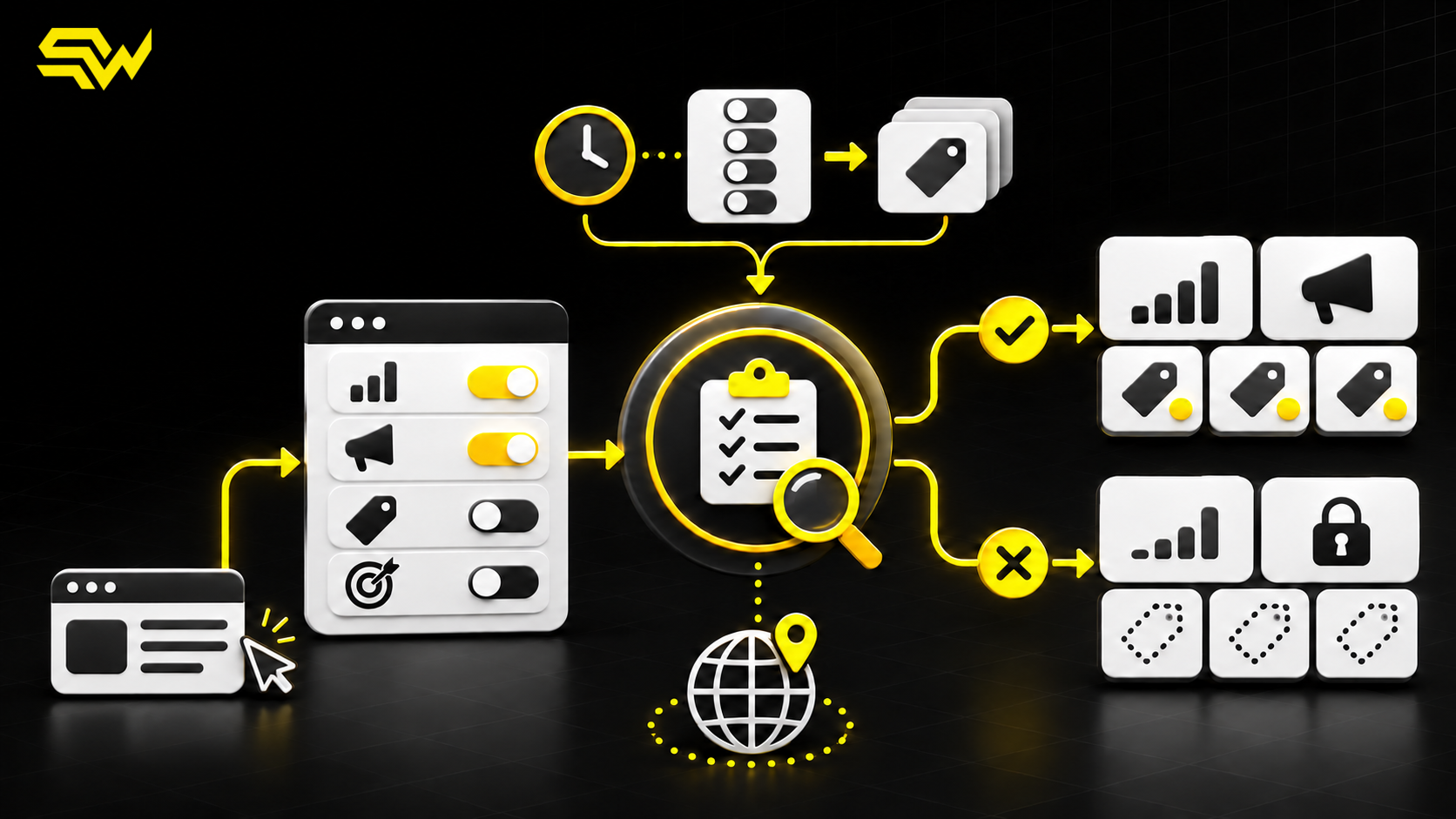
Performance Max no longer has to be treated as one undifferentiated result. Google Ads now provides a channel performance report that shows how a campaign serves across Search, YouTube, Display, Discover, Gmail, Maps and search partners. The extra visibility is useful, but it creates a new risk: teams may judge each channel like a separate campaign and make decisions the report was not designed to support.
The practical takeaway is to use channel reporting as a diagnostic layer. Confirm the conversion goal first, review overall campaign results, allow for conversion delay, and then use channel, format and event-type segments to decide what deserves investigation. A channel with a lower average ROAS is not automatically waste, and the report does not provide direct channel-level budget controls.
What the Performance Max channel report currently shows
Google announced the open beta for channel reporting on April 30, 2025 and stated on November 6, 2025 that it was available in all Performance Max campaigns. The current channel performance report documentation says advertisers can analyze dates from June 6, 2025 onward.
The report contains three main sections:
- a campaign-level performance summary;
- a channels-to-goals visualization; and
- a channel distribution table with detailed metrics and diagnostics.
Available metrics include impressions, clicks, interactions, conversions, conversion value, cost, results and results value. Google also supports segments for ads using product data, video ads, conversion category, conversion action and the event preceding a conversion, such as a click, impression or engaged view.
Those are documented capabilities. The audit steps below are recommendations for interpreting the report; they are not a promise that a particular change will improve results.
1. Verify the goal before reviewing the channel
Performance Max allocates inventory around the conversion actions and values supplied to it. If a lead-generation campaign optimizes for a form start, a low-quality submission and a sales-qualified opportunity may look equally valuable. Channel reporting will explain where those recorded actions came from, but it cannot fix the business definition.
For a US home-services advertiser, compare booked and qualified jobs against the CRM—not just submitted forms. For an eCommerce campaign, verify purchase values, transaction IDs and refunds. If lead quality is the problem, use the Performance Max lead-quality audit before blaming Display, YouTube or another surface.
Recommendation: document the campaign’s primary goal, source system and acceptable lag before opening the channel table.
2. Start with total campaign performance
Google emphasizes that Performance Max optimizes across inventory at the campaign level. Its troubleshooting guidance explains that average channel CPA or ROAS can be misleading because budget allocation considers marginal ROI—the expected return from the next dollar—rather than simply favoring the channel with the best historical average.
Start with campaign cost, conversion value, actual ROAS or CPA, target, and total conversions. If the overall campaign is meeting the verified business goal, use channel data to find creative or measurement opportunities. Do not automatically suppress a channel because its average appears weaker.
For example, YouTube may introduce buyers who later return through Search. A last-click model can make the earlier video interaction look less valuable, while a data-driven model may distribute credit differently. The report supports the attribution model attached to each conversion action, so the model must be part of the interpretation.
3. Exclude recent conversion delay
Google warns that channels may experience different conversion delays. If a business reviews yesterday through today, cost may already be present while delayed purchases or qualified leads are still arriving. That can temporarily make both the channel and the campaign look worse.
Recommendation: identify the normal click-to-conversion and lead-to-qualified-opportunity lag. Exclude the incomplete tail from an efficiency comparison, then review a period long enough to include normal weekly variation. Use the time-series view to check whether a decline aligns with a bid target, budget, asset or feed change.
4. Read the status column before changing anything
The channel distribution table can flag restricted bid targets, missing assets, budget constraints and other eligibility issues. A channel with little or no spend is not necessarily broken. If no issue is shown, Google says the system may simply be finding better predicted returns elsewhere at that moment.
Useful checks include:
- Is conversion tracking active and tied to the correct primary actions?
- Is the target CPA unrealistically low or target ROAS unrealistically high?
- Are required image, text and video assets present and approved?
- Are Merchant Center, billing or policy issues limiting eligibility?
- Did a recent major change restart learning?
Google’s current help pages refer to a two-to-three-week learning period after significant changes in some channel-report troubleshooting scenarios. Treat that as platform guidance, not a universal waiting rule; urgent tracking, policy or billing errors should still be corrected promptly.
5. Segment by format, goal and ad event
Channel alone does not identify the ad format. A YouTube result may come from video, text, image or product advertising. Use “ads using product data” to understand where Merchant Center-backed inventory is serving, and use the video segment to isolate video-format delivery.
For retailers, this should sit beside a Google Shopping product-feed audit. If product-backed delivery falls, inspect feed approval, availability, price consistency, images and competing Shopping campaigns before assuming Google has abandoned Shopping inventory.
One current limitation matters: Google’s documentation says some Merchant Center formats—such as certain Gmail product ads and video ads with products on YouTube or Discover—are not yet included in the “ads using product data” classification. The segment is useful, but it is not a complete count of every format that may use product information.
For lead generation, segment by conversion action and ad event type. A high share of engaged-view conversions can be legitimate, but it deserves reconciliation with qualified CRM outcomes. Do not treat an impression- or view-associated conversion as equivalent to a verified sales outcome without checking the business data.
6. Turn findings into controlled actions
Performance Max does not let advertisers assign a fixed budget to each channel inside one campaign. Google documents indirect levers instead: stronger assets, accurate conversion values, audience signals, search themes, product-feed improvements, content suitability and placement exclusions.
Use the smallest relevant action:
- weak Search eligibility: review landing-page relevance, search themes and search-term exclusions;
- limited product-backed delivery: correct Merchant Center issues and improve feed assets;
- heavy YouTube delivery with poor qualified outcomes: review video creative, event type, conversion window and downstream quality;
- unwanted placements: apply suitable account-level content or placement exclusions, recognizing that exclusions can reduce reach; and
- need for tighter Search control: run a dedicated Search campaign for that objective rather than trying to turn Performance Max into a Search-only campaign.
Record the change date and allow enough time for delayed conversions before judging it.
What this report cannot prove
Channel reporting describes where ads served and how attributed conversions were reported. It does not prove incrementality, isolate the effect of one channel, or show what would have happened without the campaign. Attribution settings, consent, conversion modeling, offline imports and CRM quality all shape the picture.
Use experiments, holdouts or geo tests when the decision requires causal evidence. For ordinary optimization, combine the report with search terms, placements, asset performance, Merchant Center diagnostics and confirmed business outcomes.
Google’s channel report guide, troubleshooting guidance and November 2025 availability update provide the current product details used here.
To prioritize the next move, use SW SOFTTECH’s free marketing action-plan builder for three priority improvements, recommended channels and practical next steps, plus a free consultation. If you want a specialist to review channel reporting, conversion goals, product feeds and qualified outcomes, explore our Google Ads management service and contact SW SOFTTECH for a focused Performance Max audit.