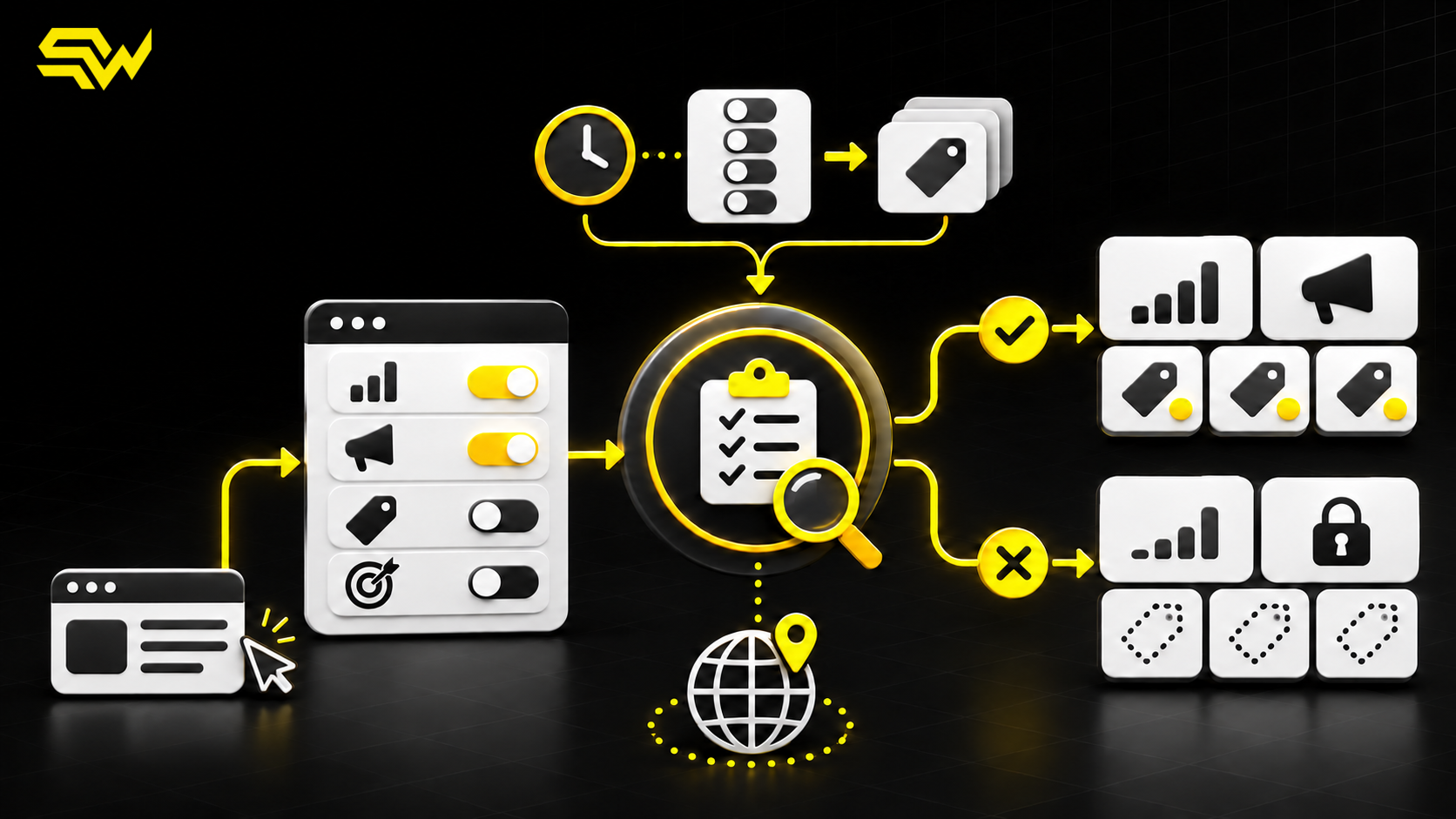
A cookie banner can look correct while Google Analytics 4 and Google Ads receive the wrong consent signals—or receive them too late. That creates a measurement problem and may create a compliance risk, depending on the visitor, jurisdiction and data use.
For US businesses, Consent Mode is especially relevant when a website serves customers in the European Economic Area, United Kingdom or Switzerland, runs international advertising, or uses Google tags alongside a consent management platform. Being based in the United States does not mean every visitor is located there.
The practical takeaway is simple: decide the required consent policy with qualified legal or privacy advisers, then audit whether the website implements that decision accurately. Consent Mode controls tag behavior; it does not obtain consent or determine which laws apply.
A consent banner and Consent Mode are different
The banner is the interface where a visitor accepts, rejects or customizes choices. Google Consent Mode is the mechanism that tells supported Google tags how to behave based on those choices.
Google’s Consent Mode setup guide requires two core steps for a custom implementation:
- set the default consent state before commands that send measurement data; and
- update the consent state after the visitor interacts with the consent controls.
If the banner says “rejected” but the update never reaches Google tags, the interface and implementation disagree. If the advertising tag runs before a denied default is applied, the default arrived too late.
This is why an audit must inspect the page sequence and tag behavior, not merely confirm that a banner is visible.
Basic versus advanced Consent Mode
Google supports two implementation approaches.
With basic Consent Mode, Google tags are blocked until the visitor interacts with the banner. If consent is not granted, no data is sent to Google—not even the consent state. Google says Ads conversion modeling then uses a general model.
With advanced Consent Mode, Google tags load with the configured consent defaults. When relevant consent is denied, tags can send cookieless pings and adjust what they collect. When consent is granted, they can send the permitted measurement data. Google describes this as supporting advertiser-specific modeling.
Those behaviors come from Google’s basic and advanced Consent Mode documentation. Choosing between them is a policy and implementation decision, not simply a performance toggle. A business should not select advanced mode merely because it may support more detailed modeling.
Understand the four core signals
Consent Mode v2 includes four signals that marketing and technical teams should understand:
- ad_storage: storage such as cookies related to advertising;
- analytics_storage: storage related to analytics;
- ad_user_data: consent to send user data to Google for advertising purposes; and
- ad_personalization: consent for personalized advertising.
Google’s Consent Mode reference says denying ad_user_data limits advertising uses involving user-provided data and affects certain Ads measurement exports. Denying ad_personalization disables data use for personalized advertising and remarketing.
These signals are related but not interchangeable. A visitor may allow analytics while declining advertising personalization. Your consent platform, privacy policy and tag configuration need to represent the choices you actually offer.
Audit the implementation in seven checks
1. Start with the approved consent policy
Document which choices the banner presents, which regions receive which defaults, and which tags belong to analytics, advertising, functionality or other categories. Confirm the decision with the appropriate legal or privacy owner.
Recommendation: keep this policy in a short, version-controlled specification. The marketing team should not invent consent defaults inside Tag Manager.
2. Confirm defaults run before measurement tags
For gtag.js, Google says the consent default command should appear before config or event commands that send measurement data. In Google Tag Manager, consent-setting templates normally use the Consent Initialization trigger, which runs before other triggers.
A common failure is loading a CMP asynchronously after analytics or advertising tags have already executed. Another is firing a custom HTML consent command that is not processed before the next event.
3. Test every banner choice
Do not test only “Accept all.” Check:
- first visit before any interaction;
- reject all;
- analytics allowed and advertising denied;
- customized categories;
- reopening the banner and changing the choice; and
- a new page after the saved choice.
Google notes that Consent Mode does not save the visitor’s preference. The website or CMP must persist the choice and send the correct update on later pages.
4. Verify all four signals
Google recommends using Tag Assistant to verify the implementation. Its verification guide shows how to inspect the earliest consent event for defaults and the latest event for updates across ad_storage, analytics_storage, ad_user_data and ad_personalization.
If the Consent tab is empty, the tag may be blocked or Consent Mode may not be implemented. If defaults appear after a Google tag event, sequencing needs attention.
5. Review regional behavior
A US company may intentionally apply different defaults by region, but location rules should be explicit and tested. Verify the experience through the actual CMP and tag configuration rather than assuming an IP-based rule works.
Google’s EEA guidance requires passing end-user consent choices for relevant traffic and identifies ad_user_data and ad_personalization as the additional v2 signals. This platform requirement does not replace jurisdiction-specific legal analysis.
6. Check every relevant domain
If a visitor moves from a marketing website to a booking or checkout domain, confirm that consent state and measurement configuration remain consistent. Our GA4 cross-domain tracking audit explains how linker parameters, redirects and payment referrals affect the wider journey.
A correctly configured first page is not enough if the external domain loads different tags or forgets the saved choice.
7. Validate downstream reporting carefully
After implementation tests pass, review Google Ads conversion diagnostics, GA4 consent settings and campaign reporting. Compare expected tag behavior with observed events for granted and denied states.
Do not interpret a reporting increase or decrease as proof that Consent Mode is correct. Changes may reflect traffic mix, consent rates, modeling thresholds, attribution or unrelated tag edits. Keep a dated test record so future changes can be compared.
Common mistakes to fix
The most frequent problems are operational:
- default states set after tags fire;
- a banner choice that never triggers an update;
- only two signals configured after Consent Mode v2;
- all signals granted from one broad “accept” action despite granular choices;
- inconsistent settings across domains;
- a CMP integration enabled in its dashboard but absent from the live page;
- advertising tags given unnecessary additional blocking on top of built-in consent checks; or
- no retest after a theme, checkout or Tag Manager release.
For first-party advertising data, also review collection source and permitted use. Our Customer Match data audit covers consent, normalization and audience governance, while the offline conversion tracking guide explains how qualified CRM outcomes reach Google Ads.
Limitations to plan for
Consent Mode cannot make an unclear banner lawful, write a privacy policy, classify your cookies or replace legal advice. It does not recover data that a visitor declined to share, and modeled results are not guaranteed to appear or match CRM totals.
Browser restrictions, ad blockers, vendor limitations and low conversion volume can still affect measurement. Consent choices may also reduce addressable remarketing audiences or alter attribution.
The goal of an audit is trustworthy implementation—not maximum data collection.
Turn the findings into an action plan
SW SOFTTECH’s free marketing action plan identifies three priority improvements, recommends relevant channels and provides practical next steps, followed by a free consultation.
If your consent banner, Google Tag Manager, GA4 and Google Ads signals do not agree, contact SW SOFTTECH to discuss a consent-aware tracking and conversion-measurement audit. SW SOFTTECH can review the technical implementation and reporting path; legal requirements should remain with your qualified adviser.