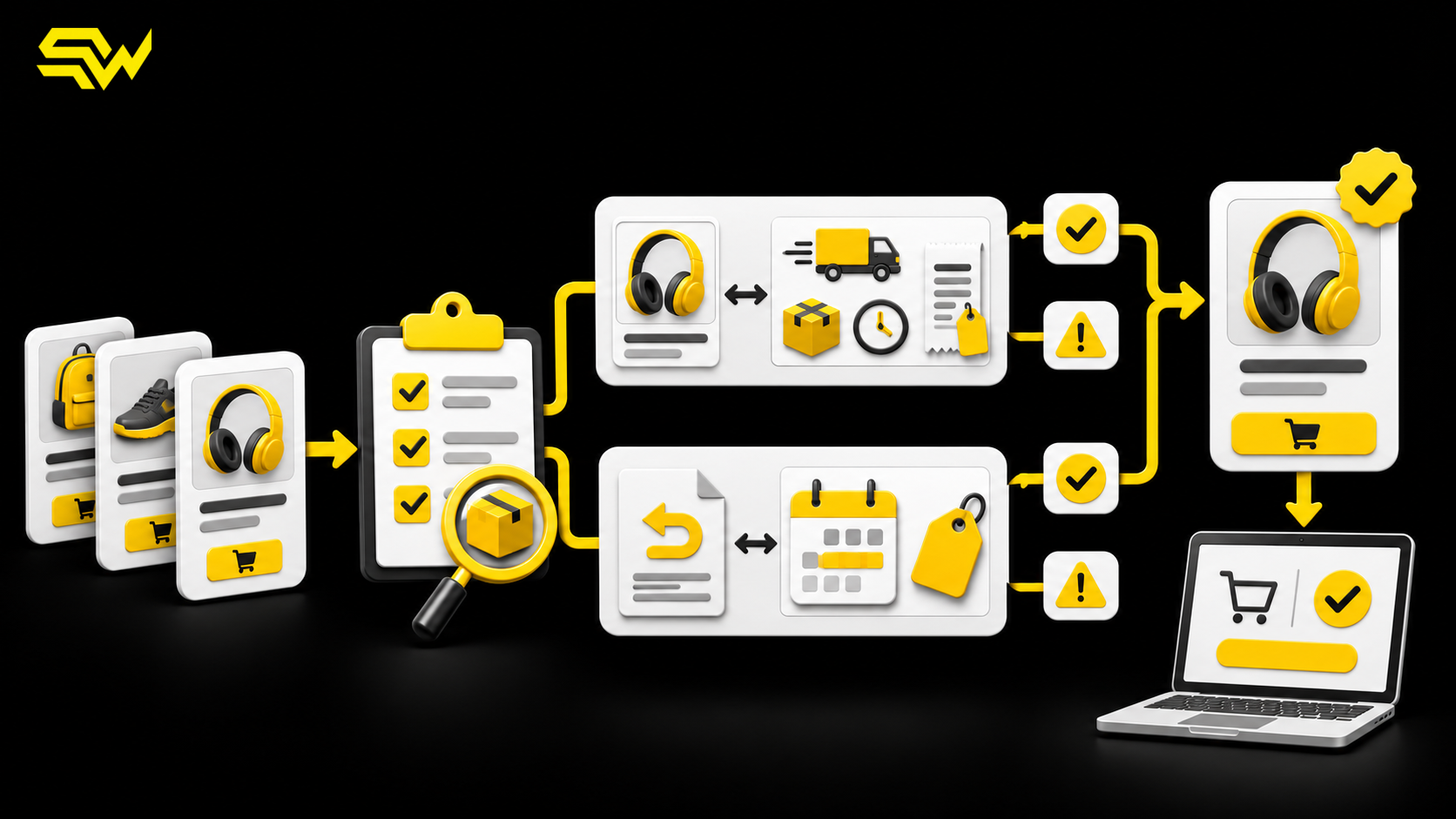
Running a Shopping campaign with a compelling offer sounds simple: publish the discount, attach it to eligible products, and increase budget. In practice, Google Merchant Center can reject a promotion even when the price itself is correct. The failure may sit in the promotion title, product mapping, coupon behavior, schedule, or checkout experience.
For US retailers, that makes a promotions audit a launch-readiness task—not a last-minute troubleshooting exercise. The practical takeaway is straightforward: prove that the offer is eligible, correctly mapped, and redeemable before asking paid media to send more shoppers to it.
What Google checks before a promotion goes live
Google documents a two-stage approval process. A policy review checks the promotion against editorial and Promotions rules. A separate SKU review tests whether the offer works on the eligible products at the effective start time. Google says review is typically completed within 24 hours of that effective start, but it can take up to 72 hours.
That is evidence from Google's current documentation, not a performance forecast. Approval means the promotion is eligible to appear; it does not guarantee impressions, clicks, sales, or profitability.
Our recommendation is to treat the effective date as the beginning of operational testing, not the moment your campaign team first looks at the setup. Build enough time for a rejection, correction, and re-review before a major sale.
Audit the offer before auditing the feed
Confirm that the promotion adds real value
Google's Promotions policies require an eligible offer to add monetary value or an additional good or service and to be redeemable at checkout or the point of sale. Standard product pricing, vague advertising language, trade-in offers, and discounts already reflected in the product price are not substitutes for an eligible promotion.
The current US threshold is also specific: a promotion generally cannot be less than 5% off or the monetary equivalent of $5, whichever is lower. Free gifts and bonus items have a stated exception, but the gift still needs to be a genuine additional item. Promotion duration is limited to six months, or 183 days.
Before submission, write one plain-language offer statement. For example: “10% off selected desk lamps with code LIGHT10; $75 minimum order; ends 11:59 p.m. ET on December 5.” Then compare that statement with the promotion title, website banner, terms, cart, and checkout. If any version changes the threshold, eligible products, code, time zone, or end date, fix the inconsistency first.
Make restrictions visible
Google requires titles to disclose material conditions, including minimum purchase limits and redemption requirements. A headline such as “20% off” is incomplete if the discount applies only after a $150 purchase or excludes half the catalog.
Recommendation: ask a team member who did not build the promotion to read the title and predict exactly what will happen in the cart. If their expectation differs from the checkout result, the title or terms need work.
Check product mapping one SKU at a time
The required product_applicability value is either all_products or specific_products. Google's product-applicability specification says a specific-product promotion must use product filters or map the promotion ID to applicable items in the product data source. An all-product promotion does not need that product-level promotion ID mapping.
For a specific-product offer, the same promotion_id must appear in the promotions data and on each eligible product. Google states that a missing mapping can cause rejection. Its promotion ID guidance also recommends a unique, stable ID rather than recycling an old identifier for a new offer.
A useful audit sample includes:
- one high-volume eligible SKU;
- one low-volume eligible SKU;
- one variant, such as a size or color;
- one deliberately excluded SKU;
- one product near a minimum-order threshold.
Confirm that eligible items receive the promotion and excluded items do not. A sale that works on the flagship product but fails on a variant is still a broken customer journey.
Validate the coupon and checkout behavior
Merchant Center requires offer_type to be either no_code or generic_code. If generic_code is selected, Google requires the corresponding redemption code. Its offer-type specification also says shipping promotions must include a valid code.
Test the actual public journey rather than relying on an admin preview:
- Open a private browser session on mobile and desktop.
- Visit an eligible product from its landing page.
- Add the required quantity and reach the cart.
- Enter the code exactly as supplied to Google.
- Confirm the correct discount, shipping benefit, or gift.
- Repeat with an excluded product and an order below the threshold.
This is a recommendation, not a Google-mandated test script. It is designed to catch common operational failures such as case-sensitive codes, automatic discounts that conflict with coupons, apps that remove codes, and promotions that work only for logged-in customers.
Use dates to create review time
For promotions uploaded through a data source, Google distinguishes promotion_effective_dates—when the offer can be tested—from promotion_display_dates—when it is visible to shoppers. Google's Promotions data source FAQ recommends setting the effective start earlier so validation can happen before the public display date; the end times should match.
Google also advises completing product-to-promotion mapping at least 24 hours before the promotion start. Because approval can take up to 72 hours, a one-day buffer may not be enough for a commercially important event. Our recommendation is to submit and test earlier when the offer, catalog, or checkout logic is complex.
Run a five-part promotions audit
Use this sequence before increasing Shopping spend:
- Policy: Confirm the offer adds qualifying value and the title discloses material terms.
- Mapping: Verify
all_productsversusspecific_products, then sample eligible, excluded, and variant SKUs. - Redemption: Test the exact coupon or automatic discount through checkout.
- Timing: Align effective dates, display dates, site availability, and time zones.
- Measurement: Confirm the promotion can be separated in analytics or order data without mistaking gross revenue for profit.
Then review the wider product setup. A valid promotion cannot rescue inaccurate prices, unavailable inventory, or weak product data. SW SOFTTECH's Google Shopping product feed audit explains how to check titles, identifiers, variants, price, and availability. The Merchant Center shipping and returns audit covers delivery costs, speed, and return-policy consistency—details that can still stop an otherwise attractive offer from converting.
Measure contribution, not just redemption
A promotion can increase conversion rate while reducing contribution margin. Before expanding spend, compare discounted revenue with product cost, fulfillment, payment fees, expected returns, ad spend, and the value of any gift or shipping subsidy. Segment results by product group and new versus returning customers where your data allows.
Avoid declaring success from platform-attributed revenue alone. Incrementality requires a credible comparison, and small samples or overlapping promotions can make that comparison unreliable. If the offer was active during a seasonal surge, state that limitation when interpreting the result.
Turn the audit into an action plan
If your team needs a starting point, use SW SOFTTECH's free marketing action-plan builder. It provides three priority improvements, recommended channels, practical next steps, and a free consultation. For broader support, review the eCommerce and marketplace marketing service.
Ready to audit your Merchant Center promotions, Shopping feed, and conversion measurement before the next campaign launch? Discuss your Google Shopping and eCommerce priorities with SW SOFTTECH.