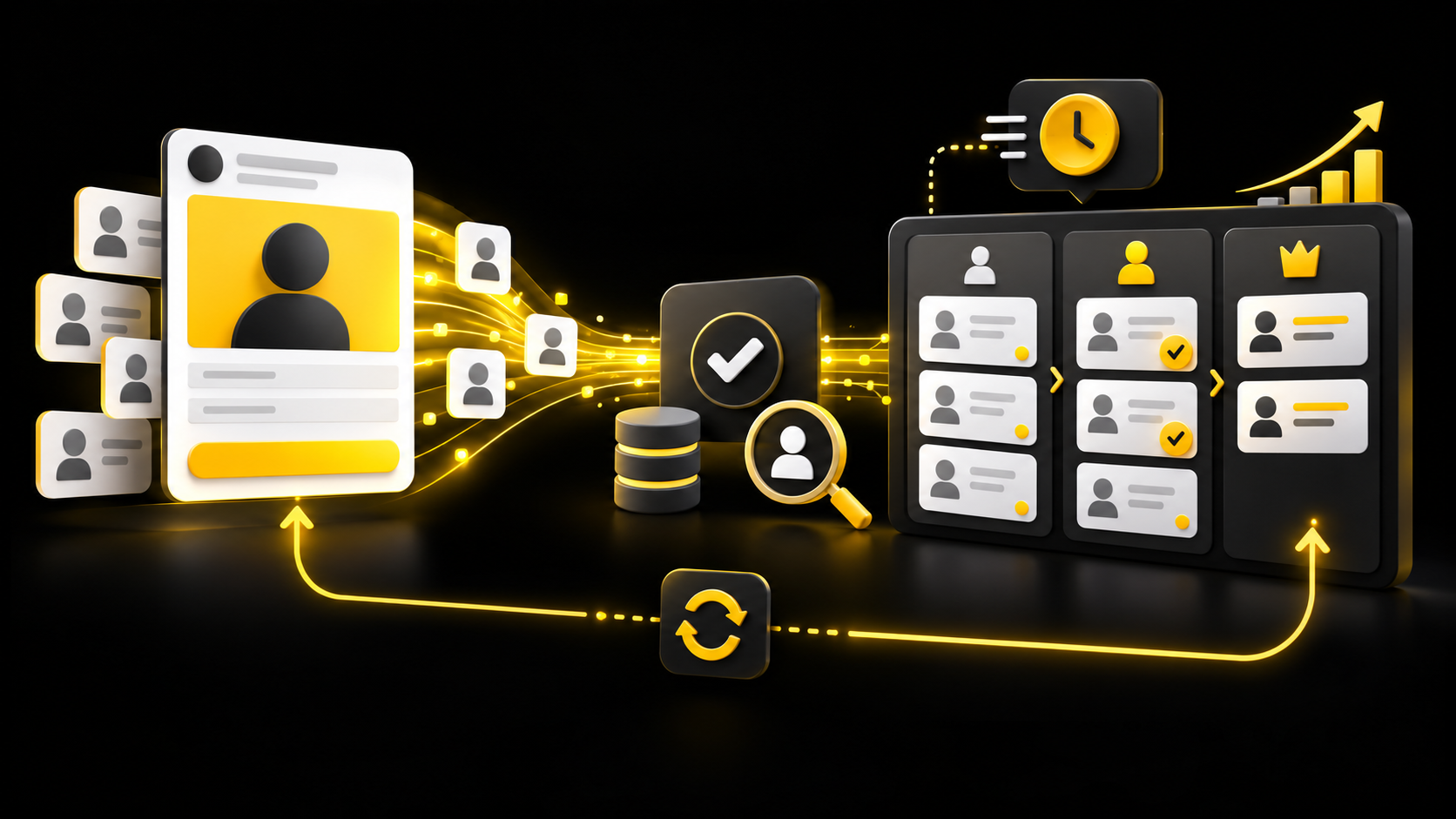
Meta lead ads can make it easy for someone to submit an enquiry without leaving Facebook or Instagram. That convenience can increase form volume, but a lower cost per form does not automatically mean better customers.
For a US service business, the important question is not simply, “How many leads did Meta report?” It is, “How many became contactable, suitable prospects—and what did each qualified opportunity cost?”
The practical answer is to connect the ad, form, CRM, follow-up process, and downstream sales outcomes. Meta’s own documentation supports CRM integrations and a Conversions API for CRM so advertisers can return later-stage lead information to the platform. The setup still depends on account eligibility, enough usable data, accurate stage definitions, and proper handling of customer information.
Why cheap Meta leads can still be expensive
Meta Ads Manager can report a completed instant form as a lead. Your sales team may apply a stricter definition: correct location, real need, suitable budget, reachable contact details, and an agreed next step.
Consider this hypothetical comparison:
| Campaign | Form leads | Spend | Cost per form | Qualified leads | Cost per qualified lead |
|---|---|---|---|---|---|
| A | 300 | $5,400 | $18 | 30 | $180 |
| B | 50 | $1,500 | $30 | 15 | $100 |
Campaign A appears better if the report stops at the form. Campaign B is more efficient against the stated qualification rule. This example is illustrative, not a benchmark or client result.
That is why our recommendation is to keep at least four separate outcomes:
- Lead received: a form or message reached the business.
- Contacted: a real attempt was recorded.
- Qualified lead: the prospect met the written criteria.
- Opportunity or customer: the sales team confirmed a meaningful commercial outcome.
Do not rename every form submission “qualified.” The definition should be written before the campaign is judged.
Build the lead-to-CRM handoff before increasing spend
Meta describes lead ads as a way for people to submit information directly from an ad, and it supports CRM integrations for retrieving and managing those leads. The first operational priority is getting each eligible submission into the right system and assigning it to a person.
A reliable handoff should record:
- source platform, campaign, ad set, and ad where available;
- form name and submission time;
- contact details the person agreed to provide;
- assigned owner and first-action deadline;
- consent or disclosure information relevant to the form;
- qualification stage and reason;
- appointment, opportunity, or sale outcome.
Meta lists direct and partner CRM integration options, but compatibility changes. Confirm the current integration for your CRM instead of assuming a logo shown in an old tutorial is still supported.
If no direct connection is available, a documented middleware or API workflow may be appropriate. It should be tested for missing records, duplicates, field mapping, retries, and access control. A successful test form is not enough: test the complete route through ownership, follow-up, stage update, and reporting.
Our Lead-to-Appointment Setup follows this same principle: connect the offer, campaign, CRM, follow-up, and booking route before treating more traffic as the solution.
Use form questions to improve decisions—not just add friction
A high-intent instant form is not created by adding ten questions. Each field should support routing, qualification, or the next conversation.
For a hypothetical HVAC company, ZIP code, service type, and preferred timing may be useful. Asking for annual household income probably is not. For a B2B software company, company size and the operational problem may matter more than a personal phone call preference.
Our recommendation is to review every question with three tests:
- Will the answer change who receives the lead?
- Will it change whether the lead qualifies?
- Will it help the first conversation?
Remove fields that serve none of those purposes. Use clear language around what happens after submission, and make the ad and form consistent about the offer.
Meta provides different performance goals for lead campaigns. Availability and suitable use depend on the conversion location and account setup. Do not switch goals simply because the label sounds better; confirm what outcome the system can actually observe.
Send qualified-lead feedback back to Meta
Meta’s Conversions API for CRM documentation describes a connection that sends downstream lead events from a CRM back to Meta. This can give the platform more information than the initial form alone.
The recommended sequence is:
- Capture the lead and preserve the identifiers needed for matching.
- Apply a consistent CRM stage when the lead meets the qualification rule.
- Send the supported downstream event with the required parameters.
- Verify event receipt, matching, and data quality in the available Meta tools.
- Compare qualified outcomes and cost over a meaningful period.
Meta also provides a general Conversions API reference and implementation guidance for developers and partners. Use the documentation that matches your lead source and integration method.
This is not a shortcut around privacy rules or consent choices. Send only information permitted by your notices, agreements, platform terms, and applicable law. Limit access, avoid unnecessary sensitive data, and define how records are corrected or deleted.
Measure the pipeline in Ads Manager and your CRM
Ads Manager answers advertising questions; the CRM answers sales-process questions. Reconcile them, but do not expect every total to match perfectly. Attribution settings, processing delays, matching, duplicate handling, and stage timing can create differences.
Review these measures together:
- cost per form lead;
- valid-contact rate;
- qualified-lead rate;
- cost per qualified lead;
- appointment or opportunity rate;
- cost per opportunity;
- customer acquisition cost, where reliable;
- time from submission to first recorded action;
- disqualification reasons by campaign or form.
Our Google Ads offline conversion tracking guide explains the same underlying issue on paid search: optimization improves only when the selected conversion represents the business outcome you actually value.
For B2B teams, also see our LinkedIn account-based lead generation guide. Platform choice matters, but a clear target account, qualification rule, and feedback process matter on every channel.
A practical seven-step rollout
- Write one sentence defining a qualified lead.
- Map the current form-to-CRM route and assign an owner.
- Standardize CRM stages and disqualification reasons.
- Submit controlled tests for every active form.
- Confirm that follow-up stops or changes when the stage changes.
- Implement the supported CRM feedback connection and verify events.
- Evaluate quality and cost together before reallocating budget.
Run the old and improved process long enough to observe downstream outcomes. Small lead volumes, long sales cycles, seasonality, and sales-team inconsistency can make early comparisons unreliable. A CRM connection can improve the available signal; it cannot repair an unclear offer, weak creative, unsuitable audience, or poor sales follow-up by itself.
Optimize for the lead your business wants
The goal is not to make every form harder to complete. It is to create a clear path from an appropriate ad to a useful sales conversation, then give both your team and the ad platform better feedback about what happened.
You can build a free marketing action plan with three priority improvements, recommended channels, and practical next steps. It is a planning tool, not a live audit.
Want help connecting Meta lead ads, CRM stages, follow-up, and qualified-lead measurement? Discuss your lead-generation setup with SW SOFTTECH. Share your current form, CRM, qualification rule, and the point where leads are being lost so we can focus the consultation on the relevant implementation work.
Primary Meta documentation checked October 9, 2026. Platform availability and interface labels can change; the workflow and measurement recommendations above are SW SOFTTECH’s practical guidance, not a performance guarantee.